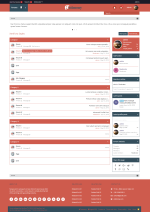
Antimony is a free style which used cool modern style with 2 main color (read and gray) schemes.
INSTALLATION INSTRUCTIONS
1. Upload the contents of the upload directory to the root of your XenForo installation.
2. Go into your XenForo Admin Control Panel, click on Styles, and then click on "Import a Style" in the left-hand navigation list.
3. Click on the upload file field, and then navigate to and select the style-Antimony.xml file