

Description:
Allows changing the author of a post.
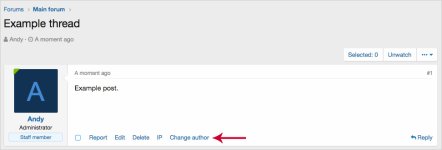
(Example of Change author link)
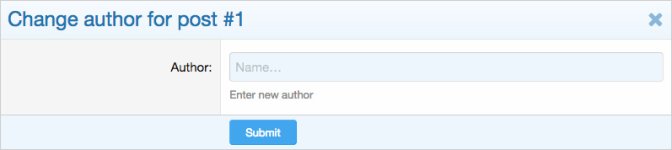
(Example of Change author overlay)
(Example of User group permissions)

Features:
In order to see the Change author link below the post, you will need to set the User group permissions for the Administrative group to Yes.
How to use:
Q: Does this also work for Resource Manager and or Media Gallery?
A: No.
Allows changing the author of a post.
(Example of Change author link)
(Example of Change author overlay)
(Example of User group permissions)
Features:
- All phrases start with changeauthor_ for your convenience.
In order to see the Change author link below the post, you will need to set the User group permissions for the Administrative group to Yes.
How to use:
- Click the Change author link under any post.
- Select a username.
- Save post.
Q: Does this also work for Resource Manager and or Media Gallery?
A: No.


