

Description:
Creates a classifieds ads widget.
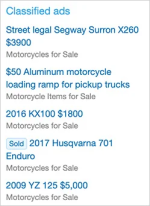
(Example of Classified ads widget)
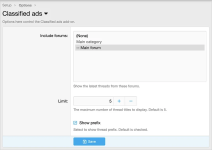
(Example of Options page)
(Example of User group permissions)

Features:
All phrases start with
Widget setup:
Example of User group permissions:
Registered = View
Unregistered / Unconfirmed = View
Creates a classifieds ads widget.
(Example of Classified ads widget)
(Example of Options page)
(Example of User group permissions)
Features:
All phrases start with
classifiedads_ for your convenience.Widget setup:
- From the Admin Control Panel select the Widgets under the Appearance tab.
- Click the Add widgets button.
- Select the Classified ads widget.
- Widget key = classified_ads
- Title = (leave blank)
- Display in positions = Forum list: Sidebar
- Click Save.
Example of User group permissions:
Registered = View
Unregistered / Unconfirmed = View


