
![[cXF] Enhanced Trending Content Carousel](/data/resource_icons/2/2255.jpg?1790119311)
Description:
Use the default trending content carousel widget with some extra features. The main feature is to display the image from the first post in the carousel.
Features:
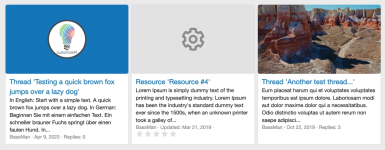
< default settings with the image from the first post and a user avatar (if there is no image) >

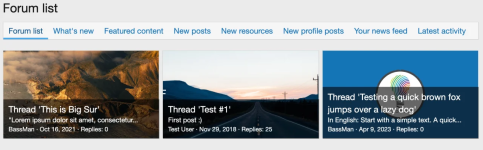
< option with 3 slides showing at once >
... with 3 slides:
Use the default trending content carousel widget with some extra features. The main feature is to display the image from the first post in the carousel.
Features:
- option to display an image to the left of, above or behind the thread title
- option to show widget title above the carousel
- option to adjust the radius of the image/avatar (you can make it square)
- option to set the number of slides to display at once
- option to change image aspect ratio (4/3 or 16/9)
- if there is no image in the first post, you can set it to show the thread starter's avatar, a custom image (option to upload any image) or the Font Awesome icon
- option to adjust the avatar font size if you are using a dynamic avatar and displaying an image above the thread title
- option to set the default avatar background color for member that have uploaded an avatar
- option to set the resize for custom image (cover, contain or none)
- option to set Font Awesome icon style, name, size, color and background
- option to hide thread title, thread snippet and other footer elements (is showing the image behind the text)
< default settings with the image from the first post and a user avatar (if there is no image) >
< option with 3 slides showing at once >
... with 3 slides:


