

Description:
Allows searching all direct messages.
This add-on is designed for admins to search and view all direct messages.
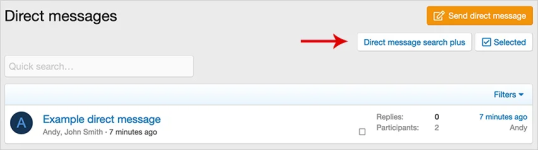
(Example of Direct message search plus button)
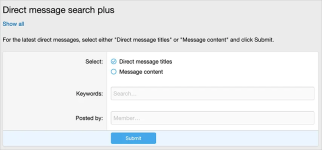
(Example of Direct message search plus results)
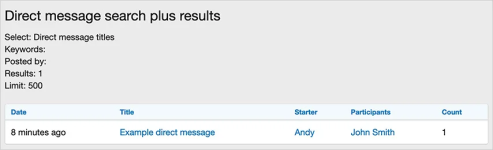
(Example of Direct message search plus results)
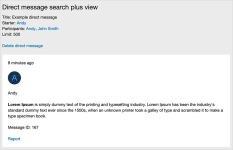
(Example of Direct message search plus view page)
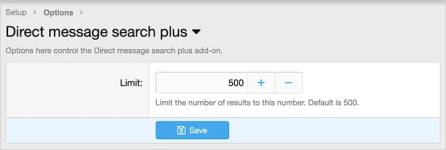
(Example of Options page)
(Example of User group permissions)

Features:
Typically you will set the Administrative user group to Yes.
How to use:
Q: When I click and embedded attachment link, I sometimes get the following error message:
A: This is normal when viewing direct messages you don't belong to. Please use the Attachments link located below the message area to view or download these attachments.
Allows searching all direct messages.
This add-on is designed for admins to search and view all direct messages.
(Example of Direct message search plus button)
(Example of Direct message search plus results)
(Example of Direct message search plus results)
(Example of Direct message search plus view page)
(Example of Options page)
(Example of User group permissions)
Features:
- Search by Direct message title or message content.
- Search by keywords.
- Search by username.
- Display latest direct message titles or messages.
- Delete direct messages.
- View and download attachments.
- Report direct messages.
- All phrases start with directmessagesearchplus_ for your convenience.
Typically you will set the Administrative user group to Yes.
How to use:
- Click conversation tab.
- Click 'Show all...' link.
- Click Direct message search plus link.
Q: When I click and embedded attachment link, I sometimes get the following error message:
You do not have permission to view this page or perform this action.A: This is normal when viewing direct messages you don't belong to. Please use the Attachments link located below the message area to view or download these attachments.


