

Description:
Replaces XenForo search with Google custom search.
(Example of Search tab)

(Example of Search page)

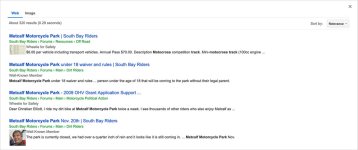
(Example of search results)
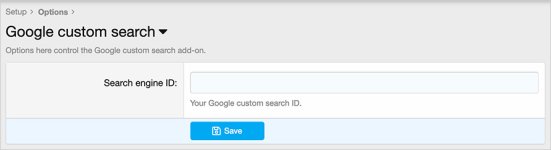
(Example of Options page)
Features:
All phrases start with googlecustomsearch_ for your convenience.
Setup step 1:
Go to the Google custom search start page:
Programmable Search Engine | Google Developers
Log into your Google account.
Click the 'Get started' link.
Click the 'create an instance of a Custom Search Engine' link.
Click the 'Control Panel' link.
Click Add.
Add the following information:
Search engine name = the name of your forum
Enter a site or pages =
Search settings = select images
Click Create.
Setup step 2:
Go to the Options page and enter your Search engine ID.
Replaces XenForo search with Google custom search.
(Example of Search tab)
(Example of Search page)
(Example of search results)
(Example of Options page)
Features:
All phrases start with googlecustomsearch_ for your convenience.
Setup step 1:
Go to the Google custom search start page:
Programmable Search Engine | Google Developers
Log into your Google account.
Click the 'Get started' link.
Click the 'create an instance of a Custom Search Engine' link.
Click the 'Control Panel' link.
Click Add.
Add the following information:
Search engine name = the name of your forum
Enter a site or pages =
www.example.com/*Search settings = select images
Click Create.
Setup step 2:
Go to the Options page and enter your Search engine ID.


