

Description:
Allows account upgrade before registering.
Once the payment has been made the user is asked to register.
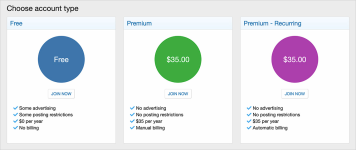
(Example of Paid registration page)
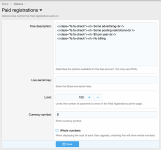
(Example of Options page)
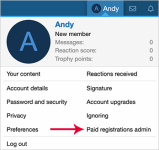
(Example of Paid registration admin)
Features:
Q: Do paid registration require email verification and or registration approval?
A: No.
Q: What is the code to create a FA check?
A: Here's an example:
HTML:
Q: A member claims they made a payment yet were not upgraded.
A: You can use the Paid registrations admin link to see if any payments were not properly applied. If found you can manually upgrade the member.
Allows account upgrade before registering.
Once the payment has been made the user is asked to register.
(Example of Paid registration page)
(Example of Options page)
(Example of Paid registration admin)
Features:
- Supports Stripe payment profile.
- Supports Permanent, For length and Recurring payment options.
- All phrases start with paidregistrations_ for your convenience.
- In XenForo create a Stripe Payment profile.
- In Stripe create a Payment link. Each account upgrade you want to show during paid registrations will require a Stripe Payment link.
- Update the User upgrade with your Stripe Payment link URL.
- Update the Paid registrations Options page with the Free account descriptions.
Q: Do paid registration require email verification and or registration approval?
A: No.
Q: What is the code to create a FA check?
A: Here's an example:
HTML:
Code:
<i class="fa fa-check"></i> Some advertising<br />
<i class="fa fa-check"></i> Some posting restrictions
Q: A member claims they made a payment yet were not upgraded.
A: You can use the Paid registrations admin link to see if any payments were not properly applied. If found you can manually upgrade the member.


