

Description:
Updates all posts which require a post notice.
This add-on will check every post on your forum and if a domain is found which matches the options page, it will set a value in the post table so that a post notice will show when viewing a post.
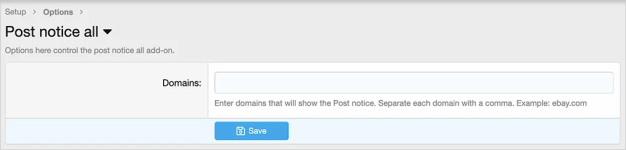
(Example of options page)
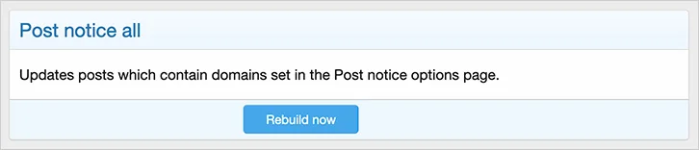
(Example of Rebuild now button)
How to use:
1. Install the Post notice add-on.
2. Install the Post notice all add-on.
3. Enter appropriate domain into the Post notice all Options page.
4. Go to the following page:
Admin control panel -> Tools -> Rebuild caches -> Post notice all
5. Click the Rebuild now button.
Questions and answers:
Q: After running this add-on, can I uninstall it?
A: Yes.
Updates all posts which require a post notice.
This add-on will check every post on your forum and if a domain is found which matches the options page, it will set a value in the post table so that a post notice will show when viewing a post.
(Example of options page)
(Example of Rebuild now button)
How to use:
1. Install the Post notice add-on.
2. Install the Post notice all add-on.
3. Enter appropriate domain into the Post notice all Options page.
4. Go to the following page:
Admin control panel -> Tools -> Rebuild caches -> Post notice all
5. Click the Rebuild now button.
Questions and answers:
Q: After running this add-on, can I uninstall it?
A: Yes.


