

Description:
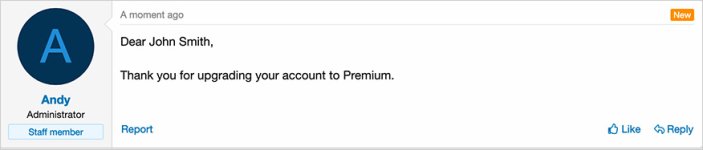
Sends a conversation when a user upgrades their account.
(Example of conversation message)
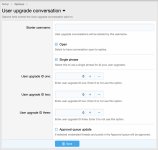
(Example of Options page)
Features:
Go to the following location to get the user upgrade ID:
Hover over the user upgrade name and in the URL you will see the user upgrade ID, make note of each user upgrade ID number.
Update the Options page with your user upgrade ID number(s).
Phrases:
To use a single phrase for all user upgrades, edit the following phrase:
If you would like to have specific information for each user upgrade then edit the following phrases:
userupgradeconversation_body_one
userupgradeconversation_body_two
userupgradeconversation_body_three
Questions and Answers:
Q: Will an email also be sent?
A: Yes, assuming the member has new conversation notification enabled.
Sends a conversation when a user upgrades their account.
(Example of conversation message)
(Example of Options page)
Features:
- Allows up to three individual user upgrade phrases.
- All phrases start with userupgradeconversation_ for your convenience.
Go to the following location to get the user upgrade ID:
Hover over the user upgrade name and in the URL you will see the user upgrade ID, make note of each user upgrade ID number.
Update the Options page with your user upgrade ID number(s).
Phrases:
To use a single phrase for all user upgrades, edit the following phrase:
userupgradeconversation_bodyIf you would like to have specific information for each user upgrade then edit the following phrases:
userupgradeconversation_body_one
userupgradeconversation_body_two
userupgradeconversation_body_three
Questions and Answers:
Q: Will an email also be sent?
A: Yes, assuming the member has new conversation notification enabled.


