

Description:
Creates a button called View map for use in messages.
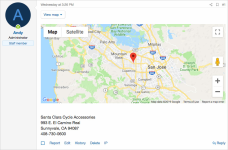
Clicking the View map button will show a Google map with a marker to a specific location.
Live Example:
HTML:
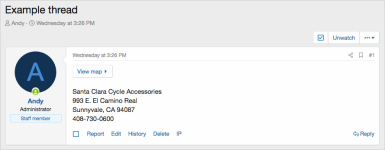
(Example of View map button in thread view)
(Example of View map button in thread view after clicking)
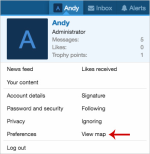
(Example of View map link in visitors tab)
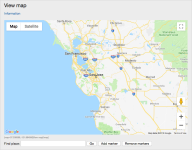
(Example of View map page)
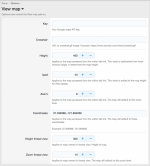
(Example of Options page)
Features:
Copy the crosshair.gif from the add-on directory to a directory of your choice, for example copy to the a /misc/ folder off the web root. Update the Options page with your crosshair.gif file location.
Setup step 2:
Get your Google JavaScript API key using this link:
Use API Keys | Maps JavaScript API | Google for Developers
Update the Options page with your Google JavaScript API key.
Setup step 3:
In the Options page, add your default coordinates and zoom.
How to create a View map button in a message:
Creates a button called View map for use in messages.
Clicking the View map button will show a Google map with a marker to a specific location.
Live Example:
HTML:
https://www.southbayriders.com/forums/threads/2180/(Example of View map button in thread view)
(Example of View map button in thread view after clicking)
(Example of View map link in visitors tab)
(Example of View map page)
(Example of Options page)
Features:
- Click View map button in a message to show the map to specific location.
- Bring up larger map from link in Visitors tab.
- All phrases start with viewmap_ for your convenience.
Copy the crosshair.gif from the add-on directory to a directory of your choice, for example copy to the a /misc/ folder off the web root. Update the Options page with your crosshair.gif file location.
Setup step 2:
Get your Google JavaScript API key using this link:
Use API Keys | Maps JavaScript API | Google for Developers
Update the Options page with your Google JavaScript API key.
Setup step 3:
In the Options page, add your default coordinates and zoom.
How to create a View map button in a message:
- Under the Visitors tab, click the View map link.
- Move map to desired location.
- Copy the Map code at the bottom and paste it into a message.
Example of map code:



