
![[XenGenTr] Sesli Makale Okuyucu](/data/resource_icons/1/1701.jpg?1790118838)
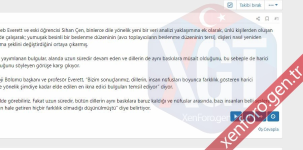
With the [XenGenTr] Audio Article Reader plugin, you can have your users read an article aloud.
Manual installation
Extract the XenGenTr-Audio ArticleReader-1.0.0 Alpha.zip file you downloaded from the zip. Send the src folder in the upload folder to the main directory in FTP. Install the [XenGenTr] Audio Reader plugin from Admincp -> Plugins.
Installing as ZipArchive
If the above option is difficult, you must first have ZipArchive support on your server to install using Admincp -> Plugins -> Install/upgrade from archive. If there is, you can open the src/config.php file, add the code below, save it, and then download it as a zip.
Code:
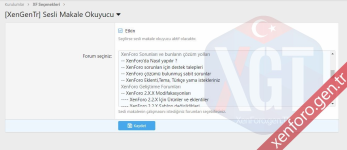
You can activate the plugin and make its settings from Admincp -> XF Options -> [XenGenTr] Audio Article Reader.
Screenshots:
Manual installation
Extract the XenGenTr-Audio ArticleReader-1.0.0 Alpha.zip file you downloaded from the zip. Send the src folder in the upload folder to the main directory in FTP. Install the [XenGenTr] Audio Reader plugin from Admincp -> Plugins.
Installing as ZipArchive
If the above option is difficult, you must first have ZipArchive support on your server to install using Admincp -> Plugins -> Install/upgrade from archive. If there is, you can open the src/config.php file, add the code below, save it, and then download it as a zip.
Code:
$config['enableAddOnArchiveInstaller'] = true;You can activate the plugin and make its settings from Admincp -> XF Options -> [XenGenTr] Audio Article Reader.
Screenshots:


