

This add-on is not affiliated with XenForo Ltd.
XR Product Manager is a fully featured product/license manager add-on for XenForo which will allow you to sell products to your members.
Since XF2, payments can be made using any of the payment providers, including PayPal, Stripe and Braintree.
Adding Products
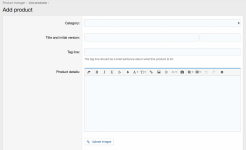
When creating a product, you can add the following details:
Updating Products (Add a new version to an existing product)
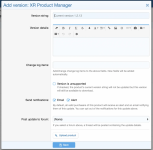
When it is time to release an update for your product, you can do so by adding a new version. When adding a new version, you can add the following details:
Product Extras
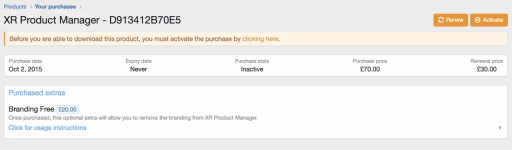
Product extras are additional items that you can sell alongside your products. This could consist of premium support, branding removal or some other complementary download. When adding an optional extra, you can define the following:
Alerts!
Alerts and/or emails sent when:
XR Product Manager is a fully featured product/license manager add-on for XenForo which will allow you to sell products to your members.
Since XF2, payments can be made using any of the payment providers, including PayPal, Stripe and Braintree.
Adding Products
When creating a product, you can add the following details:
- A category for the product
- A title
- A version string
- Product details (rich text editor)
- Product tag line
- An array of main features
- Upload images that can be embedded in the product details
- Specify an uploaded image to be used as a thumbnail
- A purchase price and length of renewal duration (any number of days/months/years)
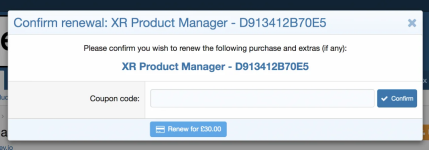
- A renewal cost and when the purchase can be renewed (if applicable)
- Which payment profiles can be used to purchase the product
- Specify how long the product will be supported for (if applicable)
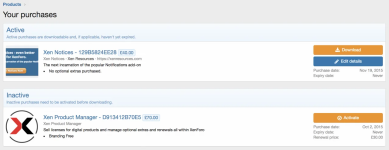
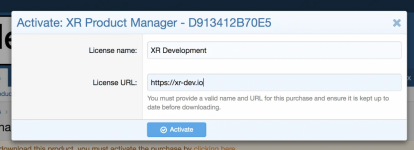
- Whether the purchase requires activating before download
- Whether the product is active or not (hidden)
- The file to be made available for download with the current version
- A usergroup that licensed customers should be added to for the duration of their license
- You can also write some custom terms and conditions and specify whether they must be accepted before download
Updating Products (Add a new version to an existing product)
When it is time to release an update for your product, you can do so by adding a new version. When adding a new version, you can add the following details:
- A version string
- A description of the update (rich text editor)
- An array of change log items
- Ability to mark a version as "unsupported"
- The file to be made available for download with the new version
Product Extras
Product extras are additional items that you can sell alongside your products. This could consist of premium support, branding removal or some other complementary download. When adding an optional extra, you can define the following:
- A title
- A description
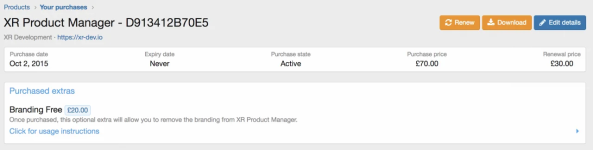
- A purchase price
- An additional renewal fee
- Be added to an additional user group (e.g. premium support, exclusive access to a forum or other features)
- A file that can be downloaded (e.g. supplementary add-on or similar)
- A set of instructions (rich text editor) (e.g. instructions on how to remove branding)
Alerts!
Alerts and/or emails sent when:
- Existing purchases are transferred from / to another user
- A product you have purchased for has been updated
- A purchase you have made is due to expire
- A purchase you have made has expired
- Payment receipt sent by email once you purchase a product


