

If you create an admin user but don't give them any admin permissions, you'll see the following information in the admin cp.
You'll also see a bunch of other warnings and notices, depending on what's happening on your server.
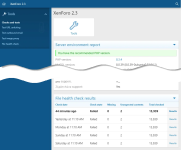
In addition to the Tools menu on the side, the following information is removed from the admincp home/index page:
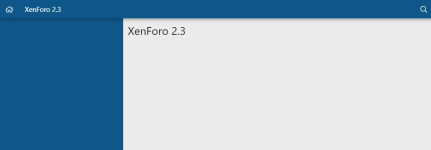
("XenForo 2.3" is the board title of my dev server - you'll see your board title there instead)
This addon adds three new admin permissions for finer control over who can see what:
This addon has been tested with XF 2.3
You'll also see a bunch of other warnings and notices, depending on what's happening on your server.
In addition to the Tools menu on the side, the following information is removed from the admincp home/index page:
- Unicode warning
- Stopped jobs / Stopped manual jobs notice
- Legacy Config notice
- Import running notice
- Staff online info block
- Environment report info block
- File health checks info block
("XenForo 2.3" is the board title of my dev server - you'll see your board title there instead)
This addon adds three new admin permissions for finer control over who can see what:
- Use checks and tests
- View server info
- View staff online
This addon has been tested with XF 2.3


